Rich documents
Write and format like a modern editor, preserve formatted clipboard content, preview Markdown, and export a single page or an entire project.
A calm, encrypted workspace where projects, documents, media, planning, and private thoughts stay together—and stay yours.
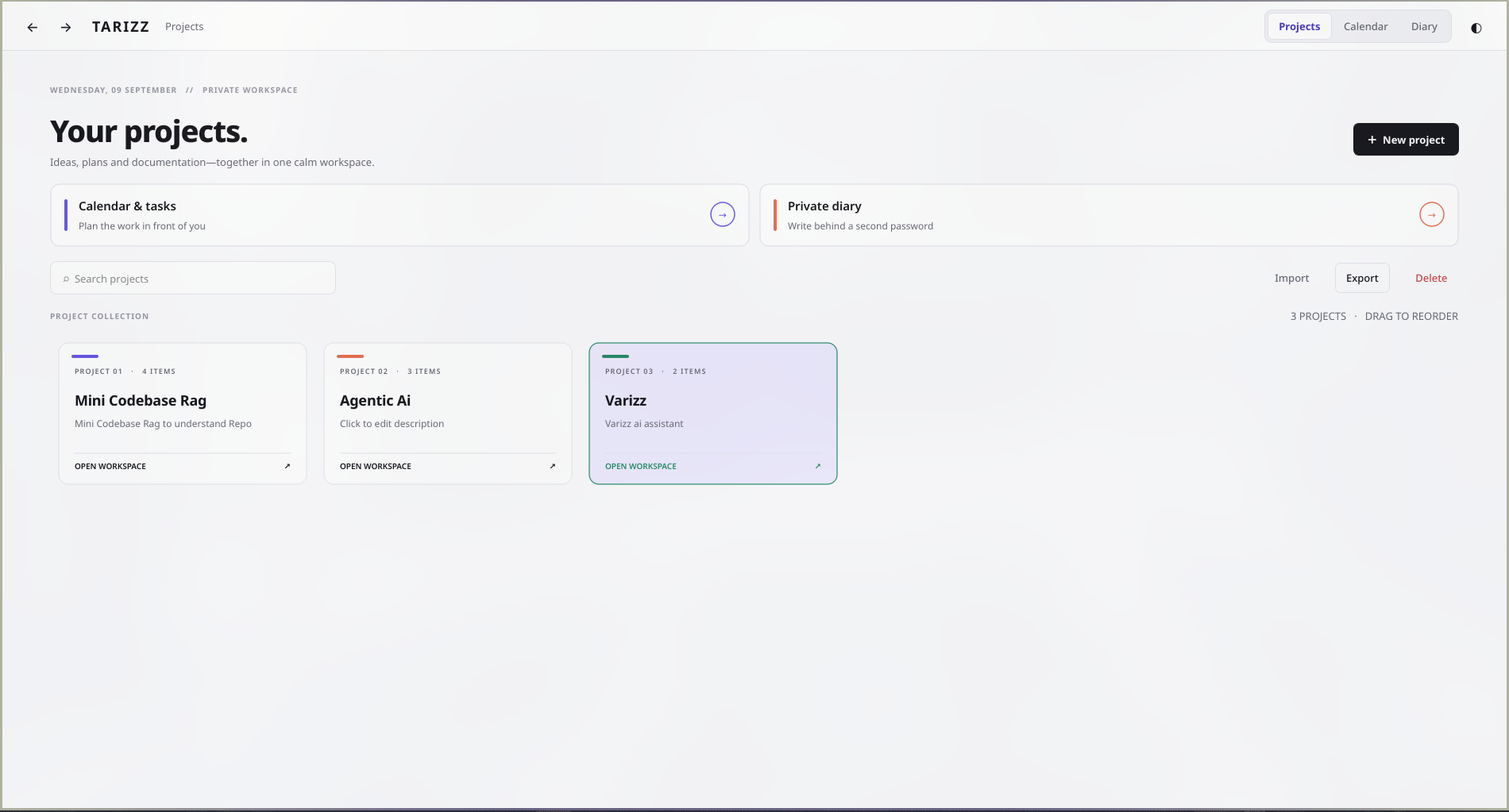
Creative work is usually fragmented across a project manager, notes app, file browser, diagram tool, calendar, and journal. Tarizz brings those workflows into one considered desktop product without sending the underlying work to a hosted service.
The interaction model stays simple: authenticate, choose a project card, and move between projects, calendar, and diary inside one window. Back and forward navigation preserve context while focused pages avoid the clutter of a permanently compressed workspace.
Rich writing, nested pages, files, visual thinking, and portable exports live in the same project.
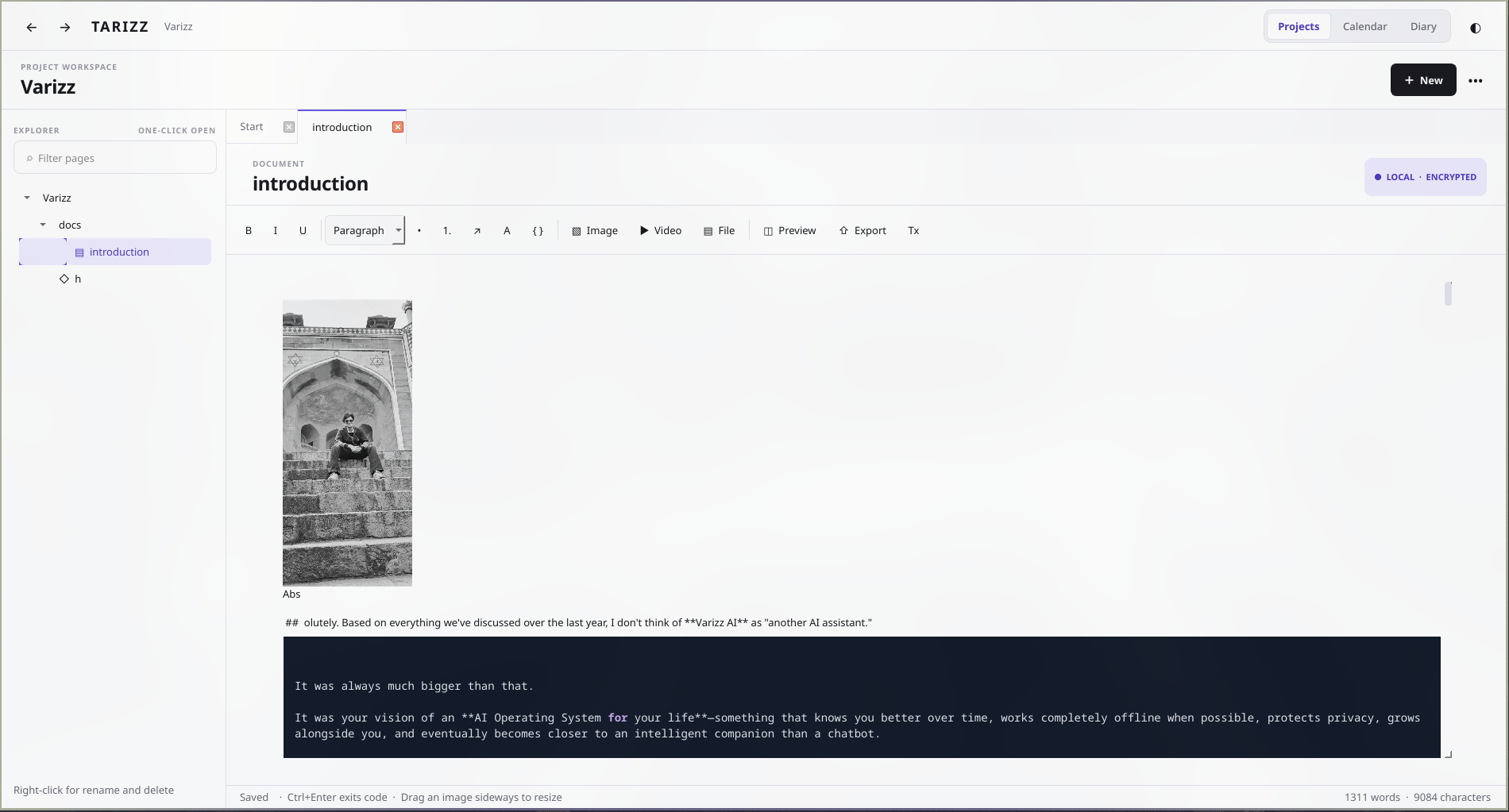
Write and format like a modern editor, preserve formatted clipboard content, preview Markdown, and export a single page or an entire project.
Keep images, video, and documents in context. Open files in their default app, save a copy, remove them, or resize images directly by dragging.
Create shapes and directional connectors that remain attached as the canvas changes, with selection, detachment, deletion, zoom, and PNG export.
Projects remain local and encrypted. A separately protected diary relocks whenever you leave its page.
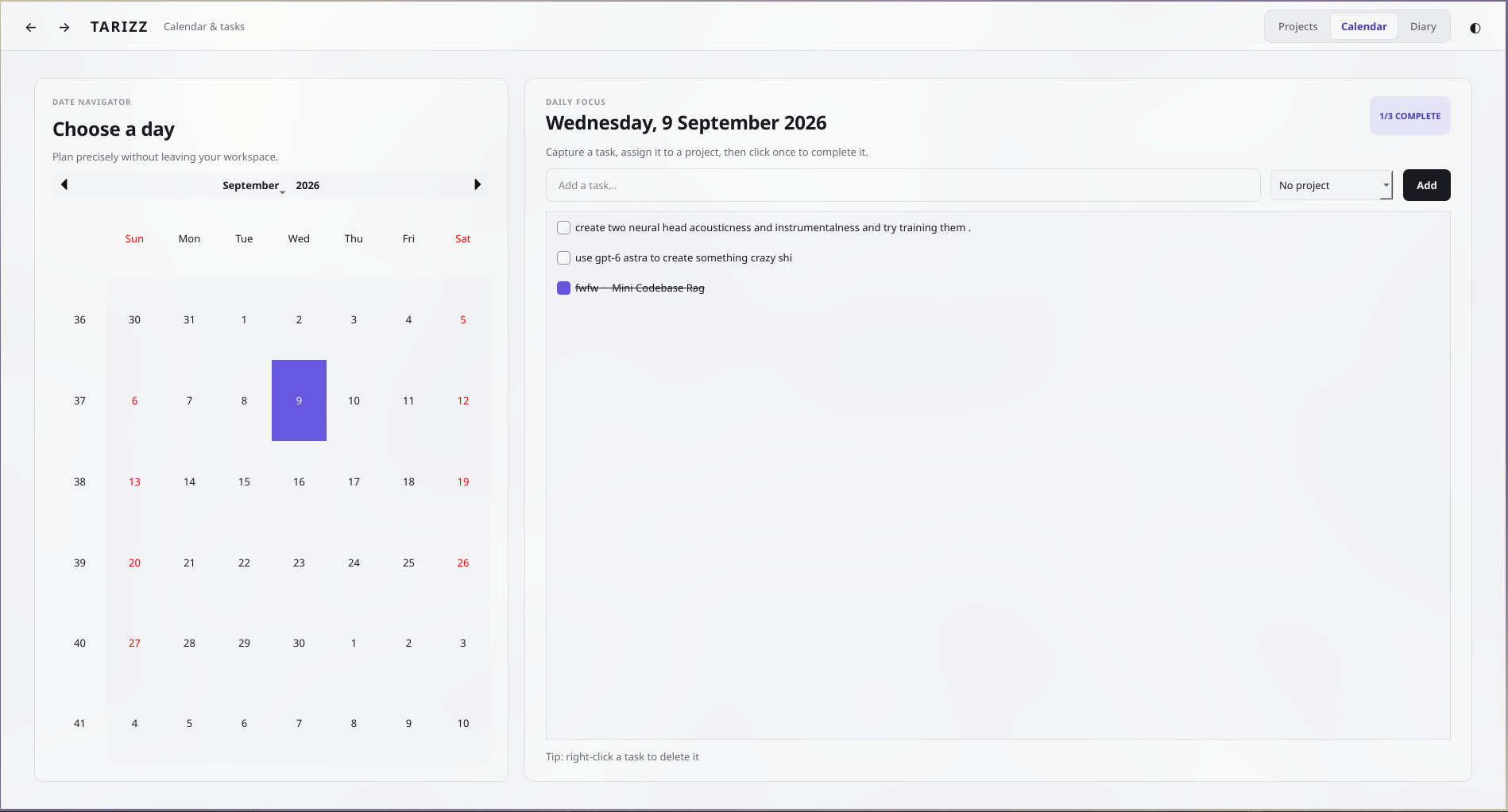
Calendar and tasks are not detached utilities. They are first-class parts of the dashboard, letting work be assigned to projects, checked off with one click, and reviewed by date without opening another window.
Dashboard, projects, calendar, and diary are full-page states connected by history instead of a collection of modal windows.
The dashboard stays spacious; the denser explorer-and-editor layout appears only when a project needs it.
Authentication, encrypted storage, media records, tasks, and diary entries remain controlled by the user’s own machine.
Export individual documents or complete projects to practical formats, and save embedded media back out whenever needed.
Download the current desktop build or inspect the complete project on GitHub.